Floating notes for Android

Notes that float
above any app

Jot while watching videos, capture game guides mid-play, and note key points at work. FloatJot stays on top of your screen — never interrupting what you're doing.

COMING SOON ONGoogle Play See use cases

Android 7.0+ · Local-first · Completely free

Core features

More than floating — a full notes app

FloatJot combines a system-level floating window with powerful note-taking, so every idea is right there when you need it.

🎯

System-level overlay

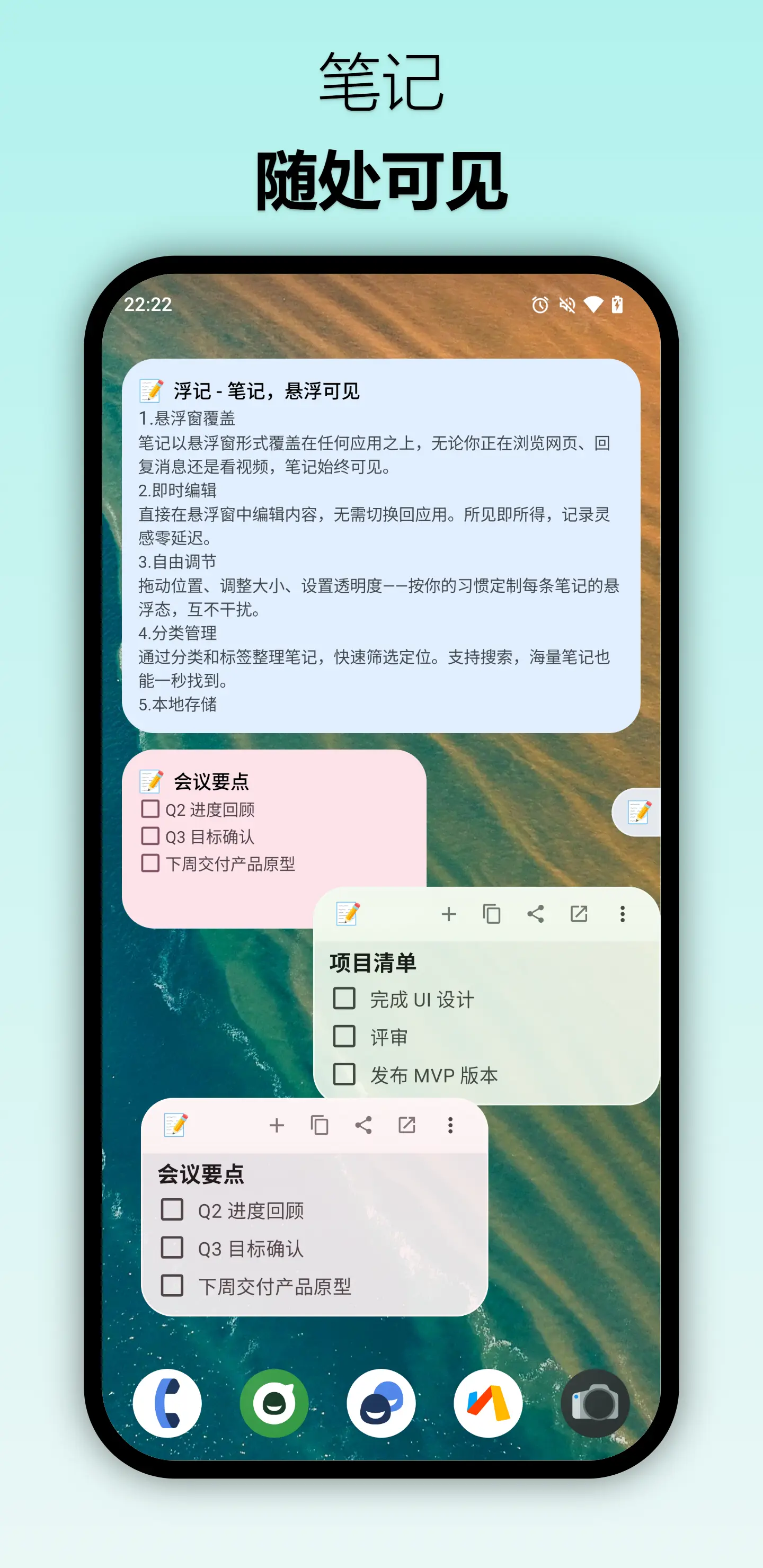
Notes stay on screen as floating windows — drag freely, snap smartly to edges. Run multiple notes at once and switch between scenes with a tap.

Instant launch

Summon from the notification shade in one tap, kept alive by a foreground service. Near-zero interruption makes capturing a reflex.

📝

Rich editing

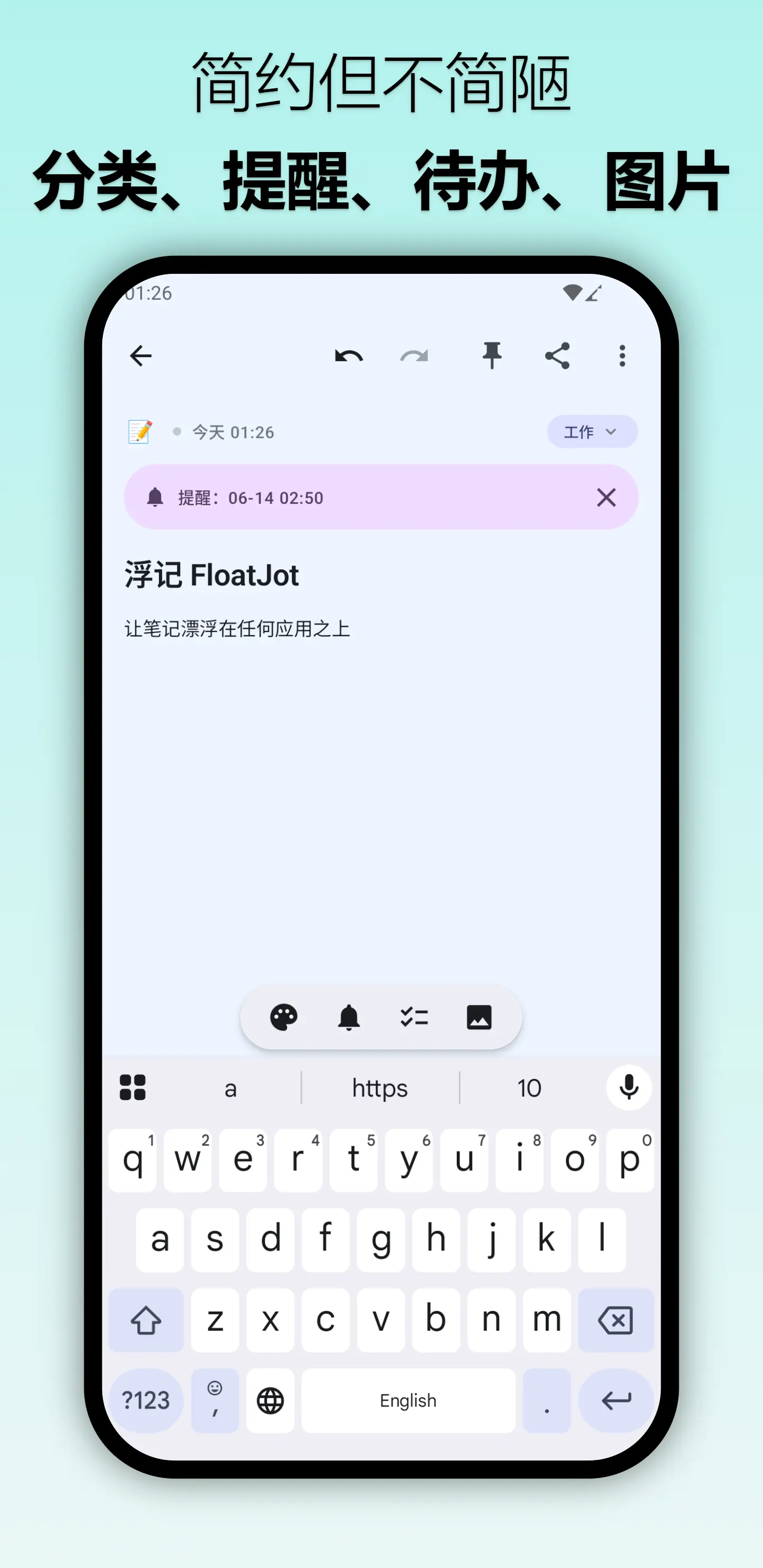
Paragraphs, checklists, and image insertion. Emoji markers make notes scannable at a glance.

🗂️

Categories

Unlimited categories with custom colors and ordering. Favorites, archive, and search keep even huge libraries tidy.

Smart reminders

Set timed reminders with daily, weekly, or monthly repeats. Important things never slip through.

🎨

12 themes

Material You dynamic color with adaptive dark mode and adjustable overlay transparency.

📱

Home-screen widget

Glance at notes right from your launcher, synced in real time — no need to open the app.

🔒

Local-first

All data stays on your device. No account, no internet required — your privacy, fully in your hands.

Quick Capture

Select text in any app and send it straight to a note via the share menu — capture without breaking flow.
Use cases

True multitasking, no more app-switching

📺

Notes while watching

Tutorials, courses, documentaries — take notes as you watch, floating above the player without pausing or switching.

🎮

Guides while gaming

Boss strategies, material lists, quest steps — record them on the fly. The translucent overlay stays visible without blocking your view.

💼

Quick capture at work

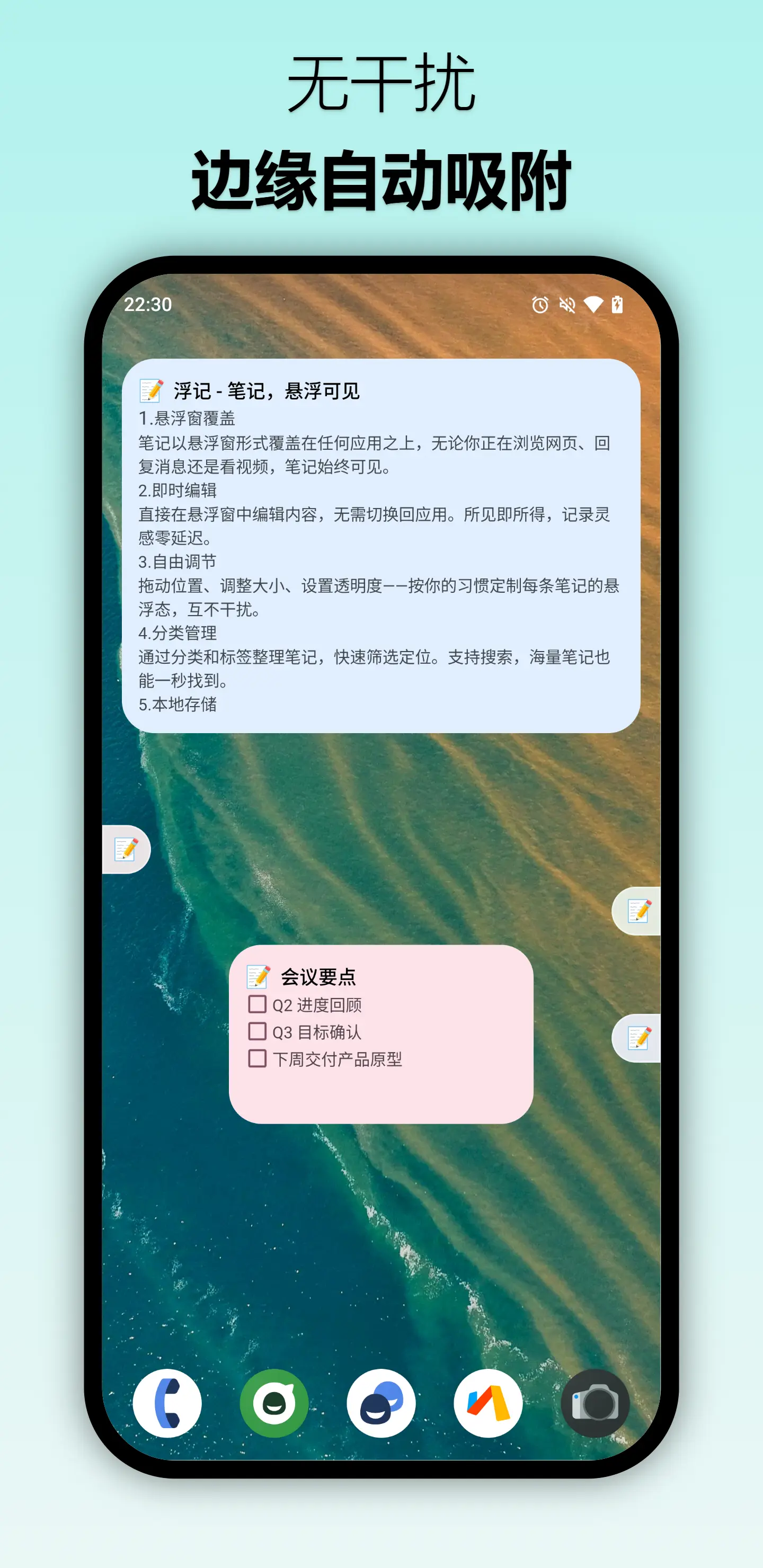
Clip key info while researching or note takeaways mid-chat. Smart edge-snapping tucks the window away whenever you need room.

📚

Notes while studying

Read docs, PDFs, and practice questions while jotting alongside. Checklists keep your study plan crystal clear.

Screenshots

The floating experience, as it is

Multiple floating notes shown above the phone home screen
Notes, always visible
Floating notes snapping automatically to the screen edge
Distraction-free edge snapping
Editing view with categories, reminders, checklist and images
Simple, yet capable
FAQ

Frequently asked questions

Is FloatJot free?
Yes — FloatJot is completely free to download and use, with the full floating-notes experience included.
Which Android versions are supported?
FloatJot supports Android 7.0 (API 24) and above. The floating window requires the "Display over other apps" permission, which the app will guide you through on first use.
Is my data private?
Absolutely. FloatJot is local-first — every note is stored on your device. There's no account and no cloud sync, so nothing ever leaves your phone.
Will the floating window drain my battery?
The overlay is lightweight and only draws when visible. Combined with smart edge-snapping to tuck notes away, the battery impact is minimal.
Can I run multiple notes at once?
Yes. You can float several notes simultaneously, position each independently, adjust transparency, and switch between them for different tasks.
Changelog

What's new

1.0.1Latest2026
  • Quick Capture — send selected text from any app straight to a note via the share menu.
  • Launcher icon added to the text-selection action for faster access.
  • Improved editor focus placement at the end of long notes.
  • Refined date display and checklist behavior.
1.0.02026
  • System-level floating notes with drag, resize, and smart edge-snapping.
  • Rich editing with checklists, images, and emoji markers.
  • Categories, reminders, 12 Material You themes, and a home-screen widget.
  • Local-first storage — no account, fully offline.

Let your notes float,
never miss an idea

Start experiencing true multitasking notes today. Whatever you're doing, FloatJot is right where you need it.

COMING SOON ONGoogle Play

Requires Android 7.0 or later